
Explore The World

Book a Ticket

Edit Template

Design Guide: Logo Placement & Print Size Tips

🖨️ DDS Print Guide

Logo Placement &
Print Size Guide

Get your logo placement and file right from the start — save time, avoid reprints, and make your team look sharp.
3 Standard Placement Positions
Each placement serves a different purpose. Here's exactly what they look like and when to use each one.
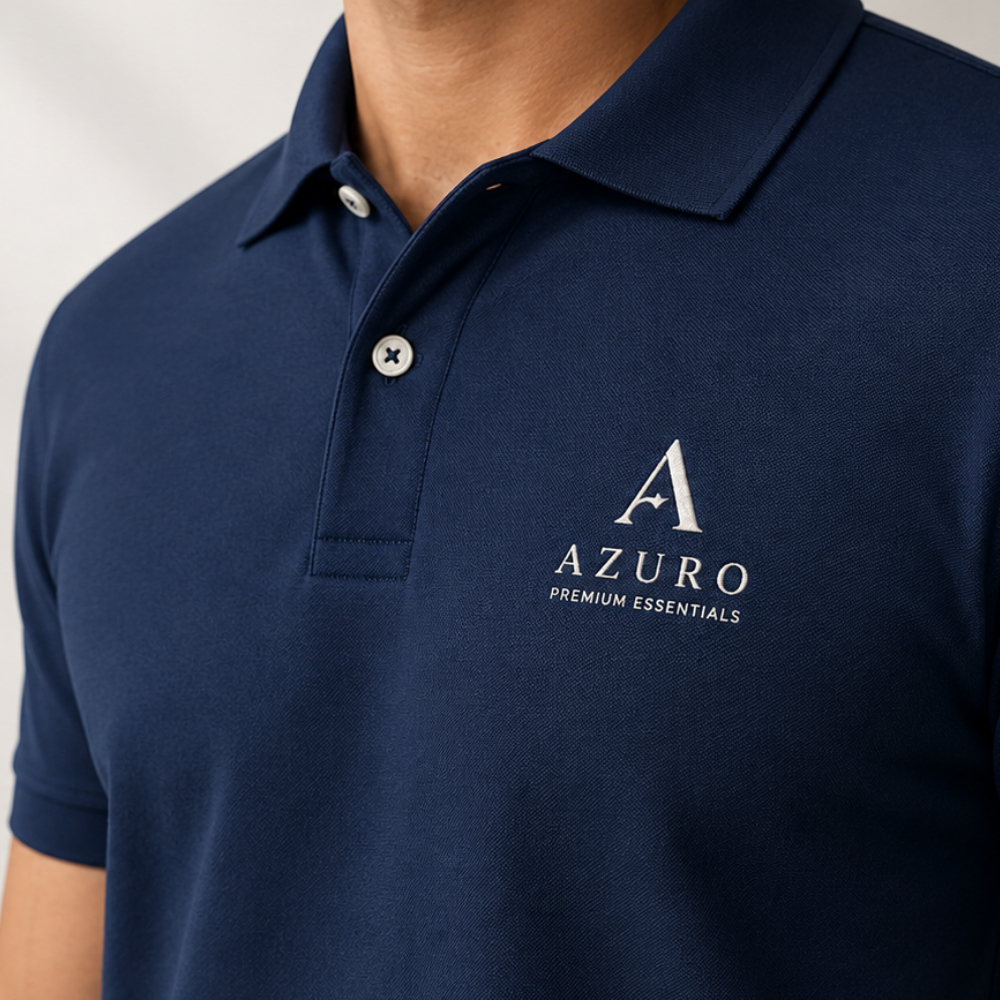
Front left chest logo placement on navy polo shirt
✓ Most Popular
01

Clean. Professional.
Instantly Recognisable.

The most common placement for corporate uniforms and staff tees. The logo sits on the left chest — visible, professional, and clean. This is what most companies choose for daily staff uniforms.
Print Size 3 – 3.5" wide
Corporate Teams Staff Uniforms Showroom Staff Event Tees
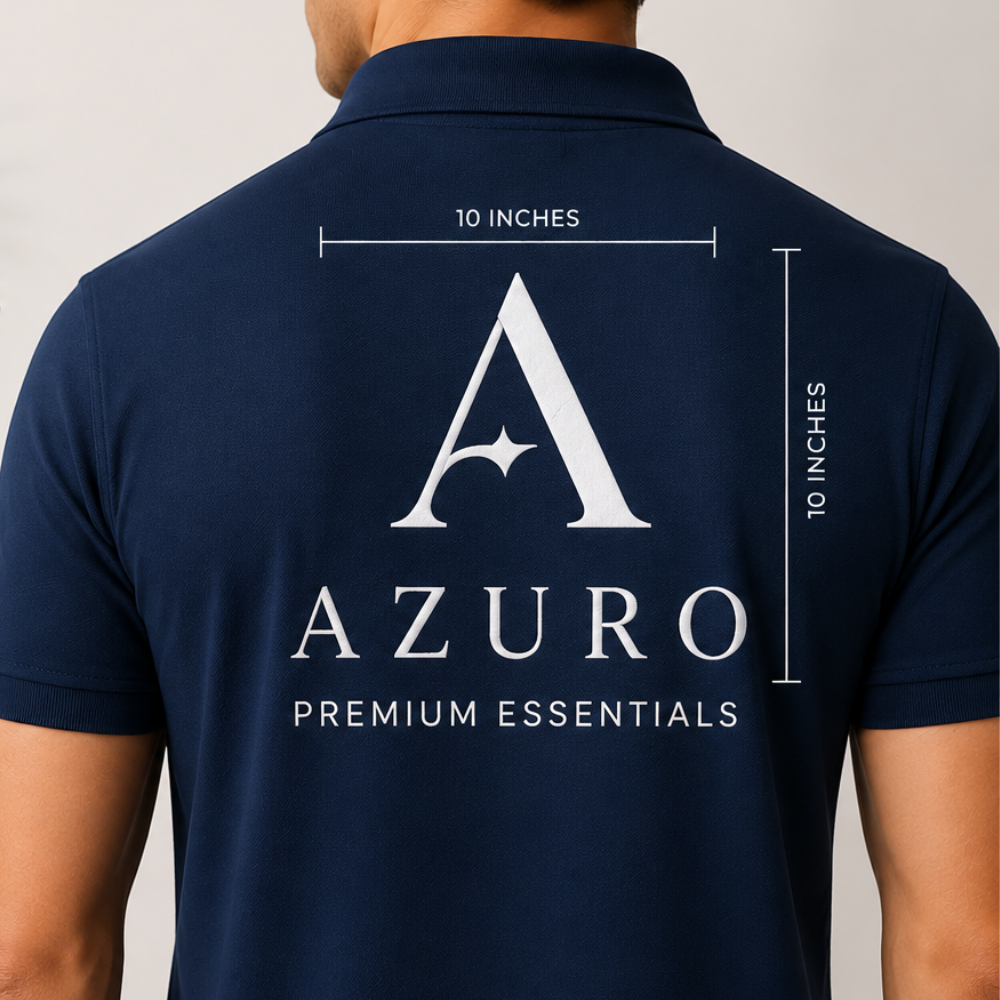
Full back print with 10 inch measurement on navy polo
📐 10 × 10 Inches
02

Maximum Space.
Maximum Impact.

The back of the shirt gives you the most space to work with. Ideal for large logo prints, brand messaging, event names, or detailed artwork. Gives great visibility especially for public-facing teams.
Print Size 9 – 11" wide
Event Teams Brand Campaigns Delivery Staff Promotions
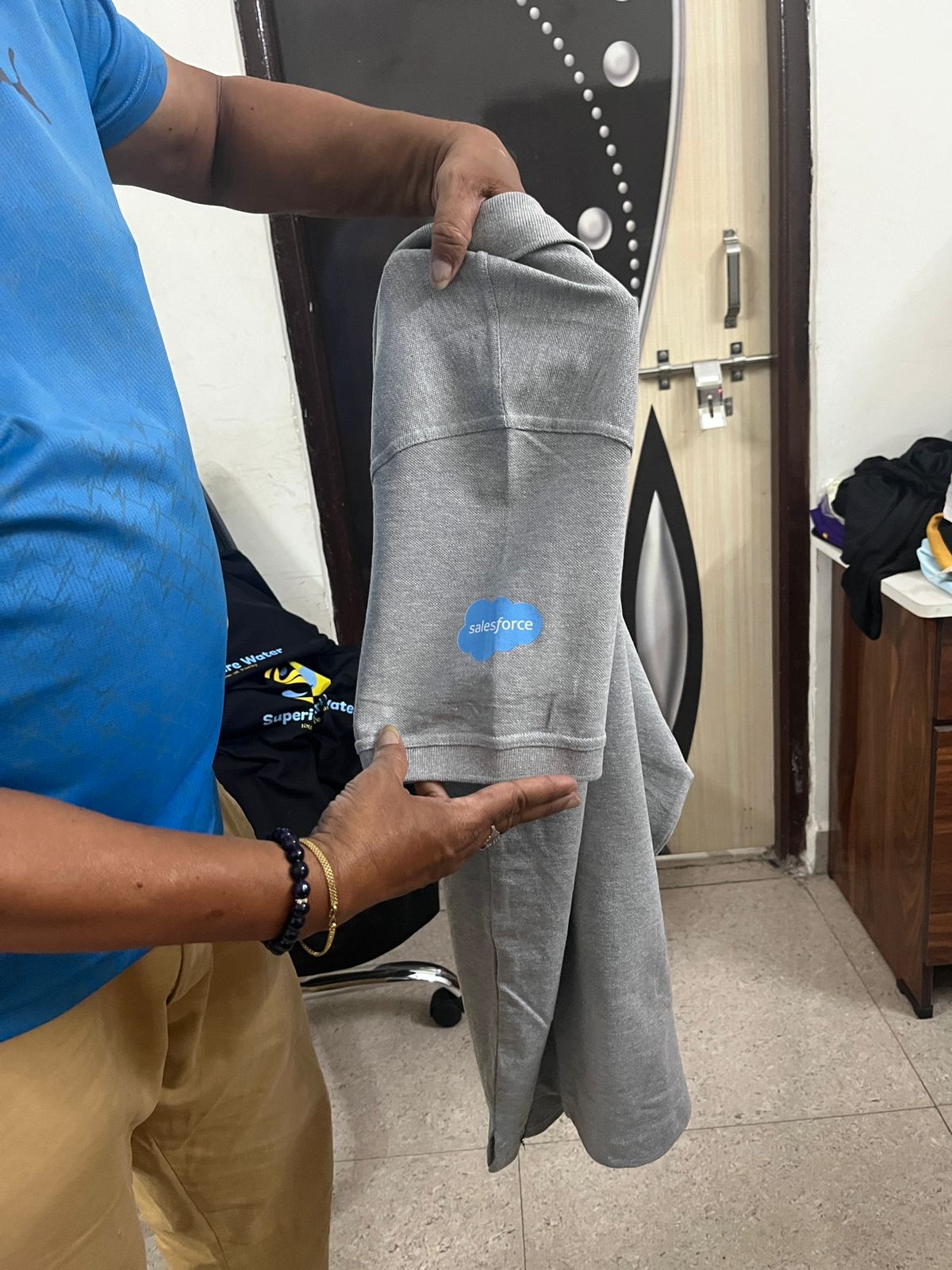
Sleeve logo print on grey hoodie - Salesforce branding example
💪 Sporty Look
03

Subtle. Sporty.
Works as a Secondary Print.

Logo or text placed on the sleeve area. Works as a secondary placement alongside a front chest print, or standalone for a sporty, workwear look. Often used by delivery staff and field teams.

Print Size 2 – 3" wide
Delivery Staff Field Teams Sports Kits Secondary Print
Accepted File Formats
Send us your logo in any of these formats. We'll check it before your order runs.
📁
PREFERRED
PSD
Photoshop file with layers — best quality and most flexibility for our team to work with.
🖼️
PNG
Ideal for logos with transparent backgrounds. No white box on your coloured shirt.
📷
JPG
Accepted, but make sure it's high resolution and not heavily compressed.
⚠️ The #1 Rule — Logo Clarity
The most common issue we see: blurry or low-resolution files. A logo that looks fine on your phone can print poorly on fabric.
🔍
Zoom to 100% on your computer. If it looks blurry at that level, it will print blurry on fabric too.
PNG with transparent background is the cleanest option. No white box around your logo on coloured shirts.
📱
Avoid screenshots of logos. They are always low-resolution and will almost always print poorly.
📲
Not sure? Send it to us first. We check files for free on WhatsApp before you commit to any order.
Frequently Asked Questions
Can I print on both front chest and back in the same order?
Yes — it's a very common combination. Front chest logo for branding and full back print for messaging or design. We do this regularly for corporate and event orders.
My logo has a white background — will it show on the shirt?
Yes, if you're printing on a coloured shirt, a white background in your file will print as white. Send us a PNG with transparent background to avoid this. We can also help clean up the file.
Can I get a sample print before placing the full order?
Yes, we can do a sample print so you can check placement and size before we run the full batch. Contact us on WhatsApp to arrange this.
What if I don't have a good quality logo file?
Share what you have and we'll check it. In some cases we can clean it up before printing. Just send it on WhatsApp and we'll advise immediately.

Ready to Place Your Order?

Send us your logo on WhatsApp and we'll check it for free before you commit to an order.

Chat on WhatsApp: 86076 72016

We typically respond within 15 minutes during business hours.

Leave a Reply

Your email address will not be published. Required fields are marked *

We are Hyderabad’s best digital service providers, offering digital marketing, graphic design, and accounting all under one roof.

Company

Services

About Us

Blog

Resources

Download

Help Center

Gudes

Events

Address

Call Now WhatsApp

Talk with Designer : 8607672016

X